Parcours 10: Native Apps, Bilingual Interface and Rethought Exams
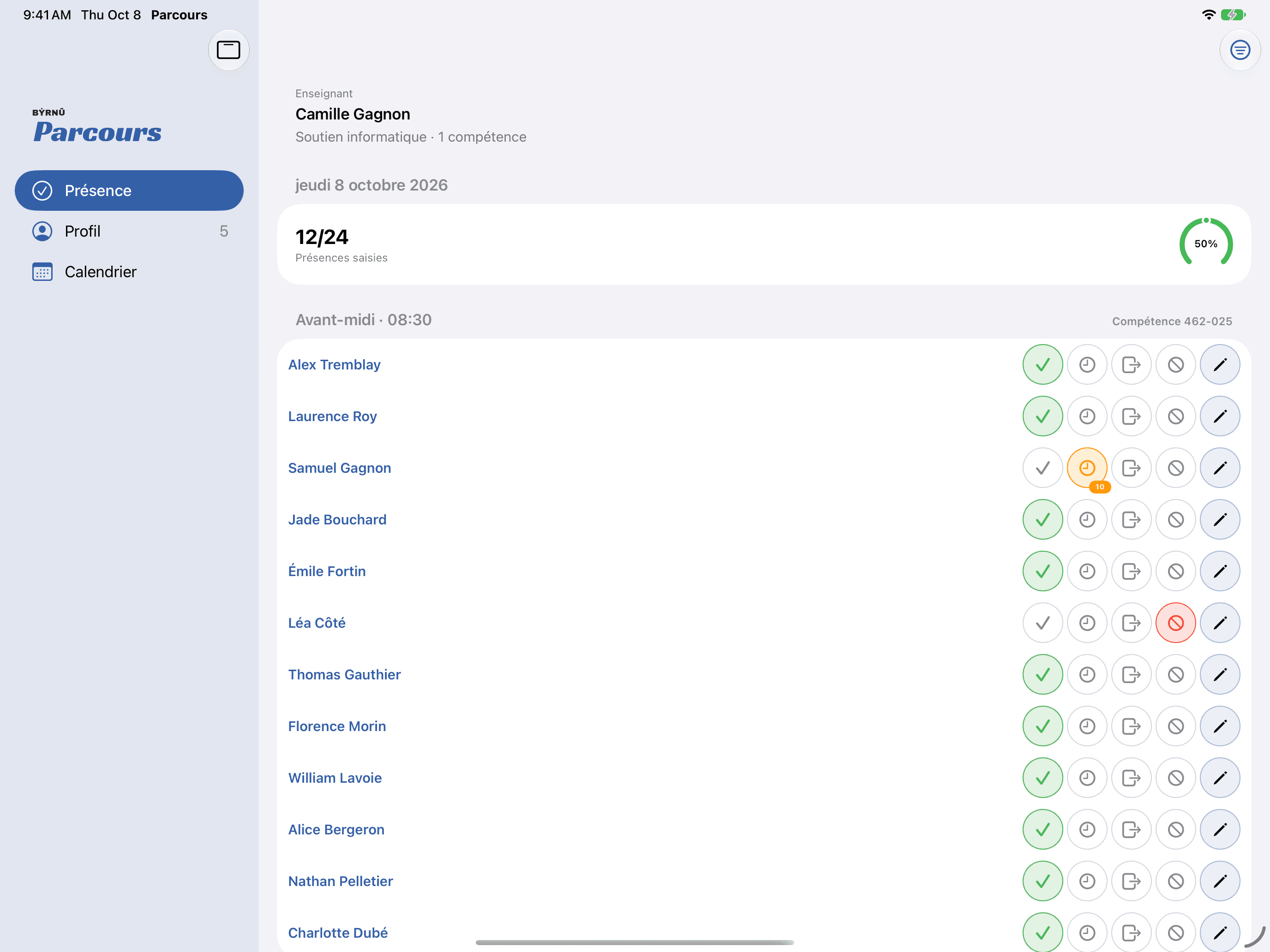
Byrnu announces the availability of Parcours 10. This release brings several hundred changes, developed from the needs that vocational training centres shared with us.
This article presents the three efforts that most directly affect the daily work of teams.
Native Apps for iPhone, iPad, Android and Watches
This is the most visible change. Parcours now has true native apps, built for the phone rather than simple web pages.
The iPhone and Android apps offer:
- push notifications to alert the right person at the right moment;
- offline attendance entry, for teachers and students alike, useful in rooms where the network is unreliable;
- a student dashboard that announces the next period.
They extend to the other devices people carry:
- an Apple Watch companion for the iPhone and a Wear OS companion for Android: the watch shows the current or next course, with a countdown, room and teacher;
- an adaptive iPad layout with native navigation, for staff who work on tablets.
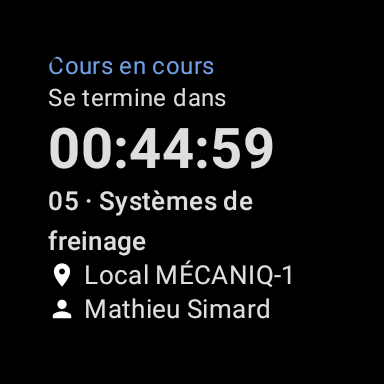
The student's schedule remains available even without a connection.
A Bilingual Interface: French and English
Parcours now speaks two languages, and not only on screen. French and English are supported everywhere:
- the web application;
- the iPhone, iPad, Android, Apple Watch and Wear OS apps;
- notifications;
- reports and PDFs.
French remains the default language. Each person picks their own in their profile, and that choice follows them from one device to the next.
Bilingualism goes all the way down into the data. Default labels, display formats, built-in statuses and types, and even the names of the days of the week follow the profile language. A person working in English no longer encounters French labels.
Exams, Invigilation and Group Courses for Individualized Paths
The third effort touches the core of training management: assessment, and how to organize teaching when students do not all follow the same path.
Exams, from Planning to Transmission
- Several periods, one exam: a single exam can span several periods and be given to a whole cohort or to a single student. An exam can also assess a block of competencies.
- Real exam locations: locations become real rooms, internal or external, attached to a centre or a company. An exam picks its room and warns when it is already occupied. The room appears in Attendance, in the student's calendar and in the iPhone app, and schedule building takes it into account.
- Results imported from Jade: results can be imported with their date and service type.
- A service type that adapts to the path: the service type of a sitting is now suggested from the student's path and history (prior learning, retake, nothing followed before). Types the Ministry would reject are refused, and exams to fix are flagged and can be filtered with "À corriger". A retake entered in Attendance is recorded as a retake.
- Simpler transmission: the exam transmission report now has one prefilled line per sitting.
Invigilator Mode
Exam invigilator mode gives the invigilator a day sheet saved directly in Attendance, limited to the exam cell, with an activity filter.
The invigilator's rights are precise: they can enter every status, but only change the marks they entered themselves. A mark saved by someone else is locked and names its author, which prevents overwrites and keeps a clear trail.
Group Courses for Students on Individualized Paths
An individualized path needs flexibility, but some competencies are better taught in a group. A competency can be taught as a group to individualized students:
- sessions are recorded;
- assignments are all or nothing: a student is either assigned to the session or not.
Around this feature, the individualized path has grown richer: blocks can be named, chosen by the student and given as assignments, earned competencies can be locked, and a student availability grid eases planning. Each student's competency hours also have an "Heures" tab, with a balance per competency.
And Much More
These three efforts represent only part of what this version contains. It also brings:
- configurable reports: printable calendars for the student, the teacher and the group, a month-by-month view, PDF output, and a new "Heures données et durée normative" report that compares hours given against the MEQ duration;
- a structured end of enrolment: a required end reason from the 17 official FP codes, a prefilled departure sheet, an "Abandon" button and import of the Charlemagne extraction from Jade;
- protection of personal information: archiving rather than permanent deletion, and support for the erasure and export required by Law 25.
Learn More
Parcours 10 is available now. To see these features or plan your update, visit the product page or get in touch.
Discover ParcoursParcours features for vocational training centres.For the previous version, read our article on Parcours 9.
Parcours 9: Live Attendance, Availability and Explained SchedulesGRICS import, real-time attendance, teacher availability, new record pages and the scheduling solver.Parcours 10 pursues a single goal: giving centre teams tools that adapt to their reality, on the web and in the pocket, and in everyone's own language.
Related articles
- Parcours 9: Live Attendance, Availability and Explained SchedulesParcours 9 is available. GRICS import, real-time attendance, availability management, new record pages and a scheduling solver that explains its decisions enrich the work of vocational training centres.
- Parcours 8: Schedules by Phase, Instant Solver and DocumentsParcours 8 is available. Schedules defined by phase and customizable per student, a solver that answers instantly, better tracking of teachers and students, and document submission through an Arkiv integration.
- Parcours 7: Privacy, Open Positions and New ReportsParcours 7 is available. Personal information protection, open position management, new reports and more flexible sequencing for vocational training centres.