
Centralize ideas, prioritize requests and share your roadmap.
Heuriqa connects feedback to product decisions. Let visitors browse published content and give your team tools to assess requests and share what’s next.
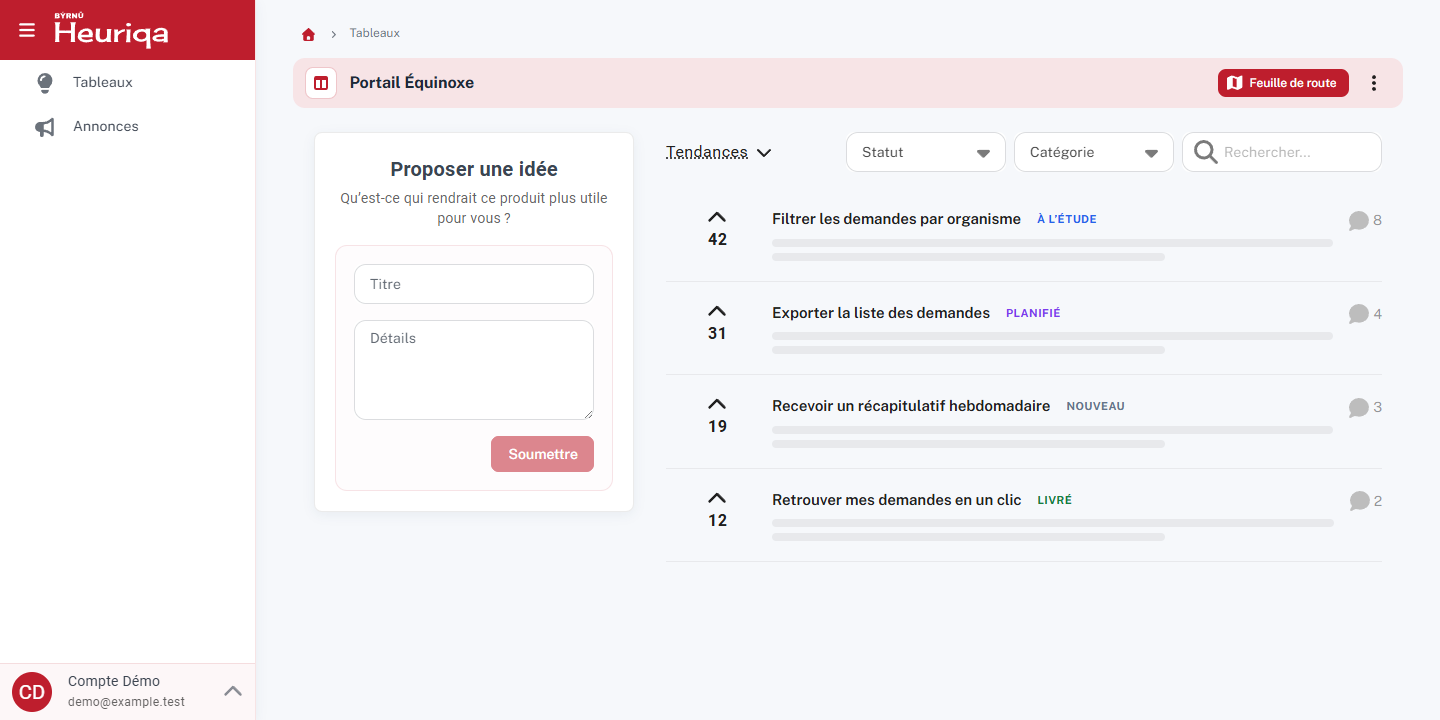
A portal anyone can browse
Browse without an account
Visitors can browse published ideas, announcements and roadmap items.
Sign in to participate
Sign in to submit an idea, vote and comment on requests.
Keep selected content internal
Teams can restrict content to people with internal permissions.
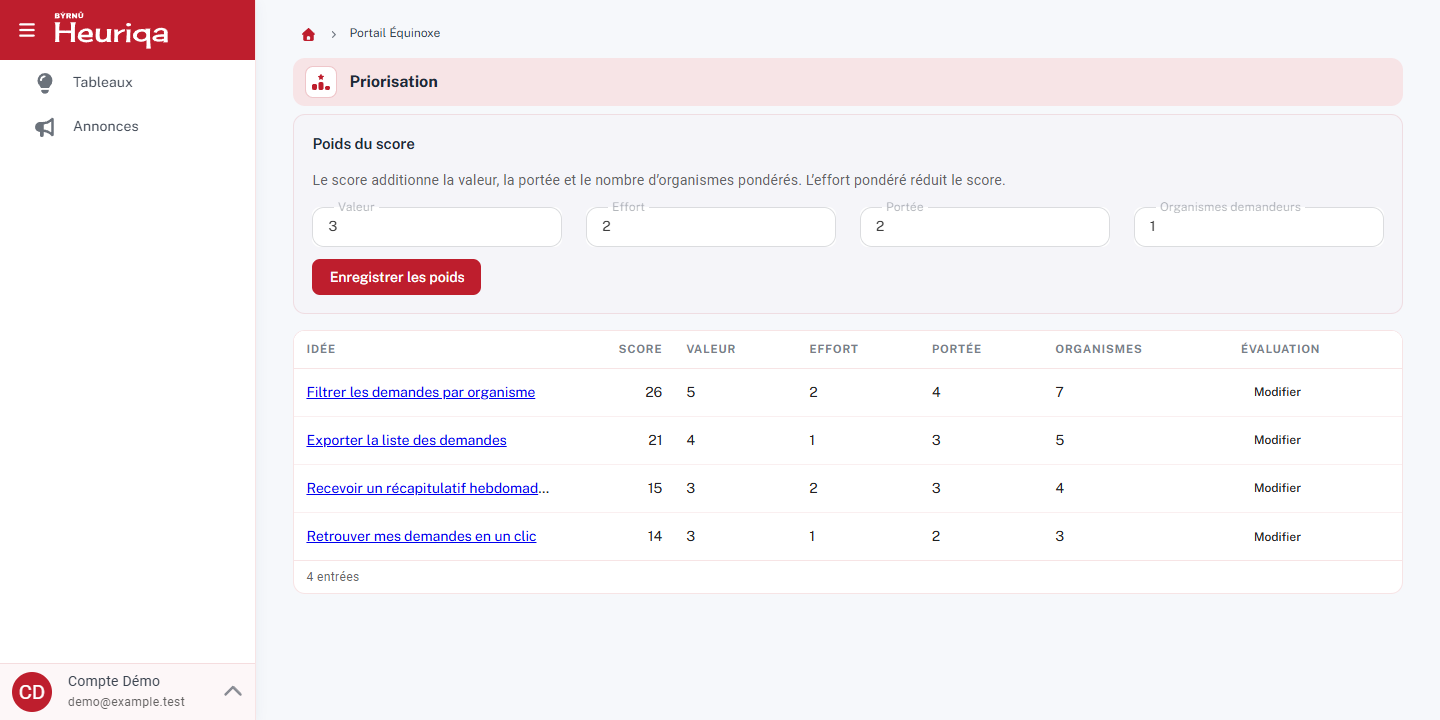
Prioritize using several signals
Votes inform decisions alongside business value, effort, reach and the number of organizations represented. The weighted score uses those four assessment criteria.
- Set voting quotas for each board.
- Find your ideas, votes and comments in My Activity.
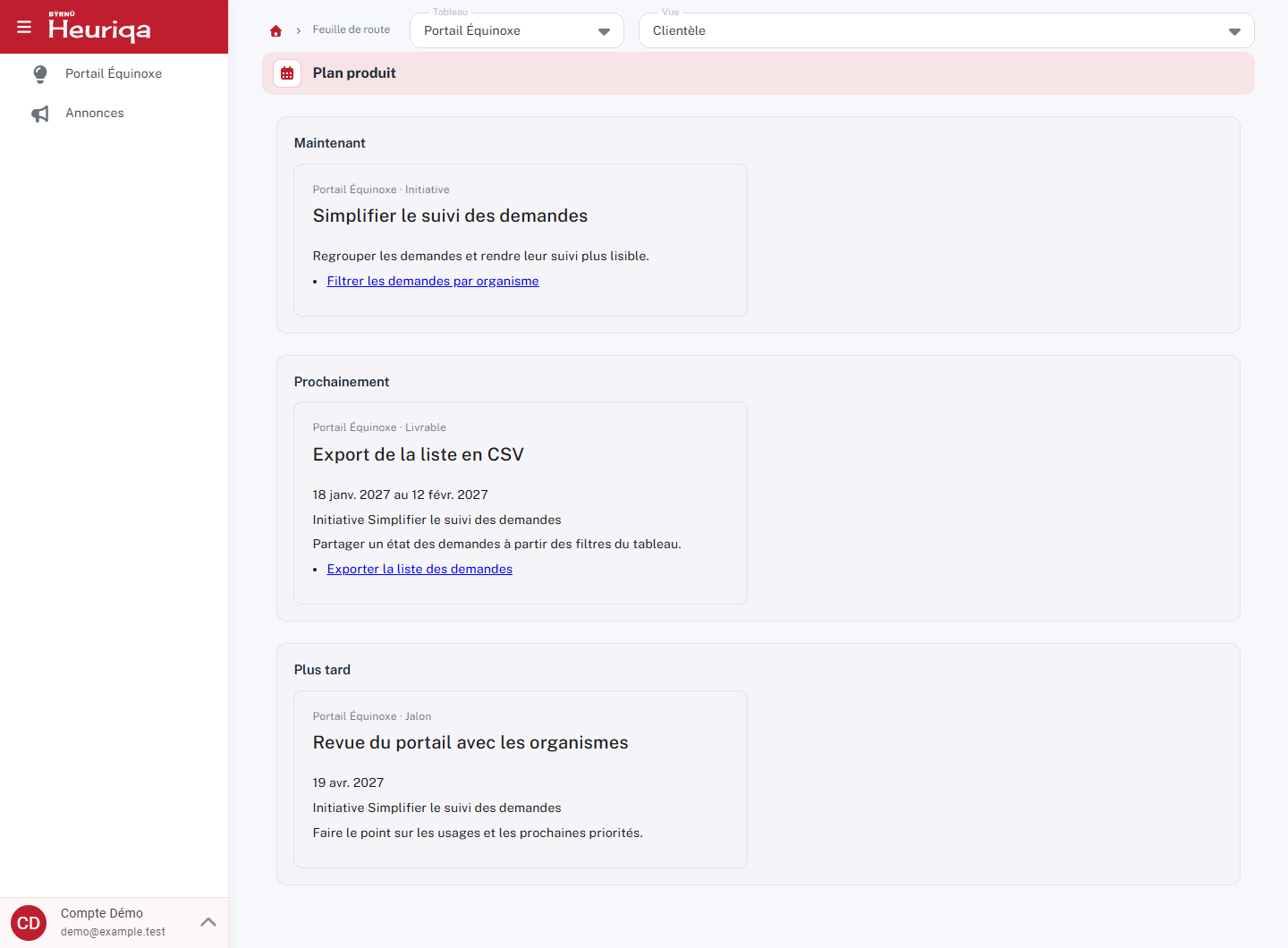
Share the product plan
Structure your roadmap around Now, Next and Later, then organize initiatives, deliverables and milestones.
- Use the Customer, Internal and Executive views to tailor what you share according to permissions.
- Publish announcements to share progress and upcoming changes.
Stay in control of moderation and communications
Similar ideas and duplicates
Heuriqa suggests similar ideas. A moderator reviews the suggestions and decides whether to merge requests.
Email and subscriptions
Emails follow each recipient’s subscriptions, notification preferences and consent.
Integrations and migration
- GitHub and Azure DevOps
- Link ideas to GitHub issues and Azure DevOps work items to follow their progress.
- Plane
- Sync ideas and work items in both directions using each board’s filters and mappings.
- API and widget
- Collect and track ideas inside your applications using the API and widget.
- Assisted migration from Aha! Ideas
- Preview the import, review a discrepancy report and resume an interrupted migration without creating duplicates.
Configuration options
- Domain and branding
- Use your own domain and adapt the portal’s branding to your organization.
- Registration by organization
- Configure participant registration by organization.
- Microsoft Entra ID
- Offer Microsoft Entra ID sign-in when the provider is configured.
- AI summaries and grouping
- Enable AI-assisted summaries and grouping of ideas according to your configuration.
Other Byrnu products
- Fondation CSSTechnological foundation for school service centers.
- ParcoursVocational training management: schedules built by an instant solver, individualized programs, attendance, competency-level progress and dashboards.
- PerspectiveLearning management platform focused on adult general education.
- AlcuinRegulatory compliance and ministry declarations for all three education sectors.
Learn more?
Would you like more information? Don't hesitate to contact us!
PO Box 653
Prévost, Quebec
J0R 1T0